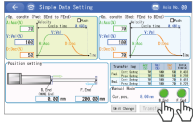
Step3 Operation
Here shows an example of when operating by a teaching pendant.
Refer to Teaching Tool Connections and Testing Operation for details.
Refer to Teaching Tool Connections and Testing Operation for details.
Insert the round connector of TB-03 to the SIO port of the ELECYLINDER.
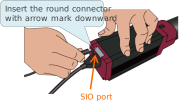
Turn ON the 24V DC power supply.
(Turn on the power to the DC power supply for the motor drive for the 200V AC servomotor equipped models.)
Start up the menu screen of TB-03, and then touch Simple Data Setting .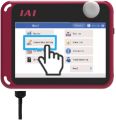
Touch the Homing .
Caution
The ELECYLINDER will move.
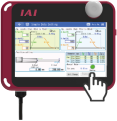
Touch the F.End (forward) or B.End (backward).
Caution
The ELECYLINDER will move.