
Operation Noise Adjustment
Operation Sound Adjustment Overview
The operation noise of ELECYLINDER can be tuned.
When there is abnormal noise, especially when during stop or in low speed, there is extreme high noise, the abnormal noise may get improved by raising the setting level.
Also, by pulling down the setting level, low operation noise may be able to be reduced.
Setting from levels from 0 to 14 (when ultra mini EC, 1 to 9) is available in the operation sound tuning window.
However, setting the level too high may cause vibration.
When there is abnormal noise, especially when during stop or in low speed, there is extreme high noise, the abnormal noise may get improved by raising the setting level.
Also, by pulling down the setting level, low operation noise may be able to be reduced.
Setting from levels from 0 to 14 (when ultra mini EC, 1 to 9) is available in the operation sound tuning window.
However, setting the level too high may cause vibration.
Setting Method
Stated below explains how to set up in the teaching pendants (TB-03 or TB-02).
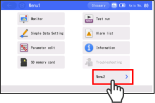
Menu 2 screen is displayed.
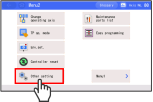
Touch Other setting in Menu 2 screen.
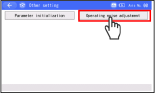
Touch the Operation noise adjustment .
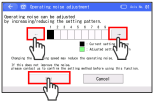
Touch ← and → on the right and left of the levels (from 0 to 14) to adjust the level one by one to perform tuning. Once the tuning is finished, touch Set .
Operation Sound Tuning Window for Other Than Ultra Mini EC
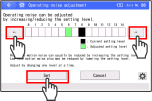
* The contents in Operation noise tuning window in the Ultra Mini ELECYLINDER should differ from those for ELECYLINDER other than this type.
Operation Sound Tuning Window for Ultra Mini EC
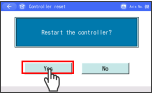
Touch the Yes .
Touch No and a reboot of the controller would not be performed and the screen goes back to the previous screen.
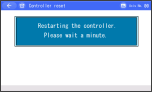
The controller is restarted. Returns to Menu 1 screen.
Caution
- Changing settings only should not enable the changes made.
- Conduct reboot of the power or software reset after a change is made. After ELECYLINDER is started up, the parameter changes should become enable.
- Do not attempt to turn the power off while the data are being overwritten. Doing so may damage the controller.