
Replacing Fan on DC Power Supply for Motor Drive (PSA-200)
Ready
Hex Wrench and Torque Wrench Opposite side:2.5
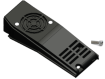
Fan unit for PSA-200 (Accessories : Hexagon socket head bolt M3×6)
Fan unit for PSA-200 (Accessories : Hexagon socket head bolt M3×6)
Fan unit model |
|---|
PSA-FNB |
Replacement procedure
Remove the hex socket head cap screw and take off the fan unit.
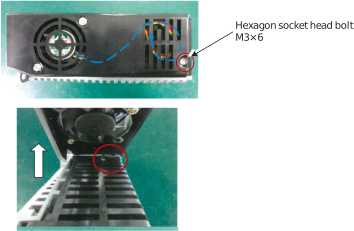
Take the black connector on the fan unit off the connector on the top of the power supply.
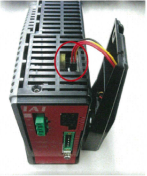
Connect the black connector on the replacement fan unit to the connector on the top of the power supply.
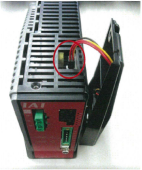
Set the cables on the fan unit referring to the figures below, hang the hook equipped at the back on the hole allocated on the power supply,
and affix the fan unit with the hex socket head cap screws.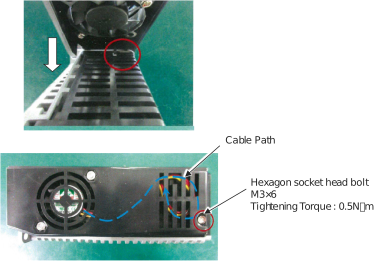
(Note) Pay attention to the cable not to stick it out to the front of the slit on the fan unit.