
Step4 Adjust
Adjust the stop position of ELECYLINDER and AVD.
Refer to Stop position / Operating Conditions (AVD) Setting / Adjustment for details how to make adjustment.
Refer to Stop position / Operating Conditions (AVD) Setting / Adjustment for details how to make adjustment.
Adjusting the Stop Position
Touch the value of B.End or F.End.
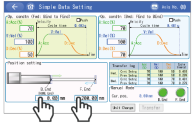
After setting the numerical value, touch the ENT .
After returning to the simple data setting window, touch the Transfer .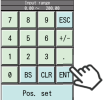
Adjustment of Operating Conditions (AVD)
Touch the condition you want to adjust.
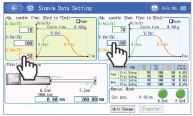
After setting the numerical value, touch the ENT .
After returning to the simple data setting window, touch the Transfer .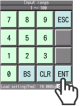
The adjustment completes.