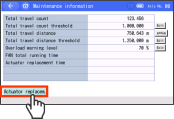
How to Set up in Teaching Pendant
Switch to maintenance information screen
Touch Information on the Menu 1 screen.
The screen will switch to the Information screen.
If the TP operation mode is not Monitor mode, a confirmation window will appear for switching to Monitor mode.
If the TP operation mode is not Monitor mode, a confirmation window will appear for switching to Monitor mode.
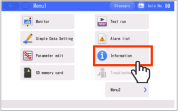
Touch Maintenance information on the Information screen.
The maintenance information window opens.
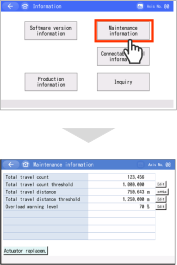
Setting method
To set the target value, touch the Edit of the relevant item.
The set value will blink and Ten Key screen will open.
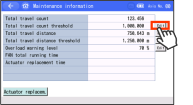
Enter the value with the Ten Key pad and touch the ENT .
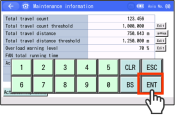
- The target value will change.
If you touch ESC , the target value will not be changed and the original screen will return. - A confirmation message will be displayed to reboot the controller when leaving the maintenance screen.
The setting change will take effect after rebooting.
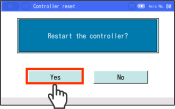
When the total travel count and the total travel distance are to be reset, touch the Actuator replacem. .
"Total travel count" and "Total travel distance" will be cleared to "0".