
ELECYLINDER Test Operation
Touch the Simple Data Setting .
The screen will switch to the Simple Data Setting window.
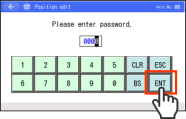
If the position edit password is set to a value other than "0000", the password input screen will be displayed.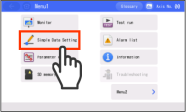
If the operating mode is not Monitor mode, the Message screen will be displayed.
Switch to Monitor mode by following the displayed instructions.If the position edit password is set to a value other than "0000", enter the password and press the ENT on the touch panel.
The screen will switch to the Simple Data Setting window.
Reference
The position edit password is set to "0000" at shipping.
Refer to the TB-02 Instruction Manual (ME0355) , TB-03 Instruction Manual (ME0375, ME0376) for information about changing the password.Touch the Homing .
The ELECYLINDER returns to the home position.
After home return operation completes, the B.End and F.End will appear.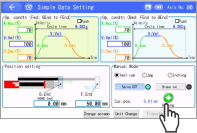
Touch the F.End or B.End .
The moving part will move toward the forward or backward end.
Releasing the controls during operation will cause the unit to slow to a stop.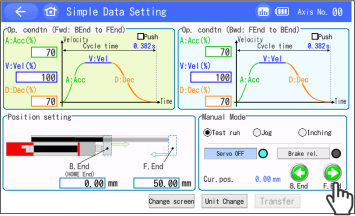
(Note) For wireless connection, it must be WL2 specification to work.
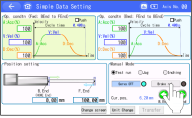
A confirmation window should appear.
Touch OK and the brake should get released.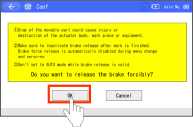
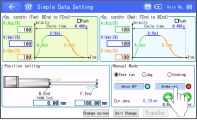
Touch Compulsory Brake Release again and the signal should turn off (brake activated).
Warning
- Be careful when releasing the brake. Releasing carelessly may cause injury or damage to ELECYLINDER, workpiece or surrounding devices due.
- After releasing the brake, be sure to return the brake to the enabled status. It is very dangerous to operate with the brake released. May cause injury or damage to ELECYLINDER, workpiece or surrounding devices due.
- Make sure that this signal is turned off (brake activated) when the power to a controller is turned on.
- It is prohibited to switch over between AUTO and MANU while this signal is ON (brake is released).